Post Production Apps, Tools and Training for 2026
If you’re looking for video editing, sound design, and post-production resources to deepen your knowledge of the craft in 2026 and beyond, then you’ve come to the right place.
In this article, I’ll share:
- 4 new post-production workflow apps you need to try
- An online tool to craft paper edits that’s in development
- A way to get the biggest new trailers in your inbox every Friday
- A new form of post-production training designed to drip-feed knowledge to your brain stem via you inbox – launching soon!
- A centralised resource for finding the best in-person post-production meet-ups
- A short Quiz to discover your editorial personality – fun to share with friends!
But first…
I’ve been busy building…
It’s been a while since I published a new post on this blog, which is sad but this is also for a few good reasons:
- I’ve been publishing concise weekly insights on Cut/daily – my free post-production newsletter enjoyed by 2000 editors
- I’ve been editing a feature documentary
- I’ve been building a ton of things using Claude Code
Four of those things are some useful apps that I built to speed up my workflow on the aforementioned documentary.
- Transcriber Translator (TT) = Foreign audio in | Translated SRT subtitles out
- Keyword Marker (KM) = Mark every instance of custom keywords in a click
- Tidy Media Manager (TMM) = Deliver Consolidated projects in tidy folders
- Teleport (T) = Anchor a location in your timeline and return to it in a click
Every app is a one-time purchase with a lifetime of free updates and a two-machine license.
You can explore all of these for free in demo mode and even get 2.5 hours of use out of Transcriber Translator for free each month.
Try them for yourself in the new Cut/daily Store.
Read more about these apps here:
Transcribe > Translate > Edit
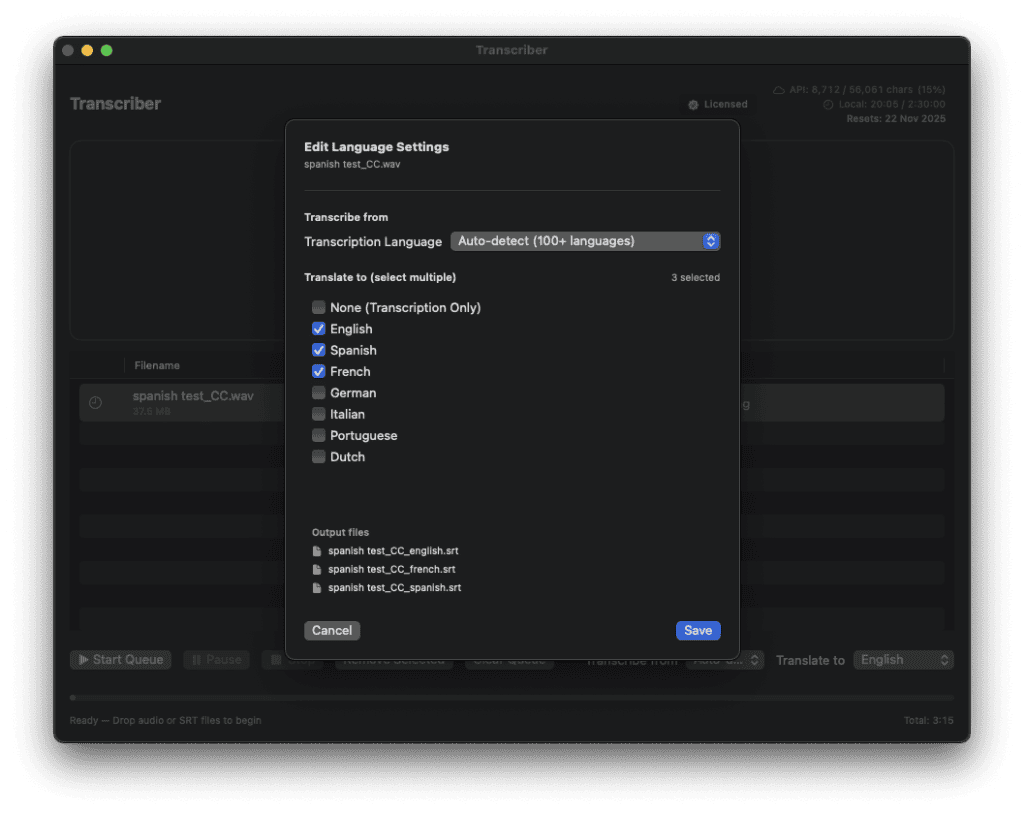
Transcriber Translator was built so that I could quickly edit foreign language interviews with English subtitles. And do it cheaply!
How it works
- Drop you source audio files into TT
- TT transcribes the audio file into native subtitle captions
- TT translates those captions to multiple target languages
If you already have an SRT file to translate into other languages, e.g. to localise your final edit, you can just drop the srt file into the TT app and it will output your selected translations as multiple SRT files.
Under the hood TT is using the industry leading ElevenLabs API to transcribe in 100 supported languages. With Elevenlabs generous free tier you can get 2.5 hours of transcription every month compared to only 12 minutes if you go through the website.
The translation is then performed via API by either Gemini (limited to free tokens) or Anthropic’s Claude (paid plan).
Drag audio into the app, then import the high quality translated subtitles back over your footage to get cutting.
Here’s what one happy editor had to say about Transcriber Translator:
The translation quality was extremely high.
This is going to be really helpful and save a lot of time (and money).
As you know, Premiere’s transcription quality is so lame it’s hardly worth using.
— Kyle Rainford, Finalise.TV
Mark My Words
This short walkthrough demonstrates how useful Keyword Marker is when working on any kind of interview-based project.
But really, any scenario where you want to find and mark specific words in your footage will be enhanced with this tool, such as:
- Tag all “Action” and “Cut!” markers across 50 takes ? 5 seconds, not 10 minutes
- Find topic clusters in long interviews ? instant visual map
- Hunt down client feedback (“the bit where they mention…”) ? marked permanently
- Track frankenbite options (all the “ands” “buts” “sos”) ? review and choose
- Navigate verse/chorus sections in music videos ? color-coded and ready
You can’t do all of this with Adobe Premiere’s native text search, so it’s a pretty powerful tool.
Paper Edits Done Right
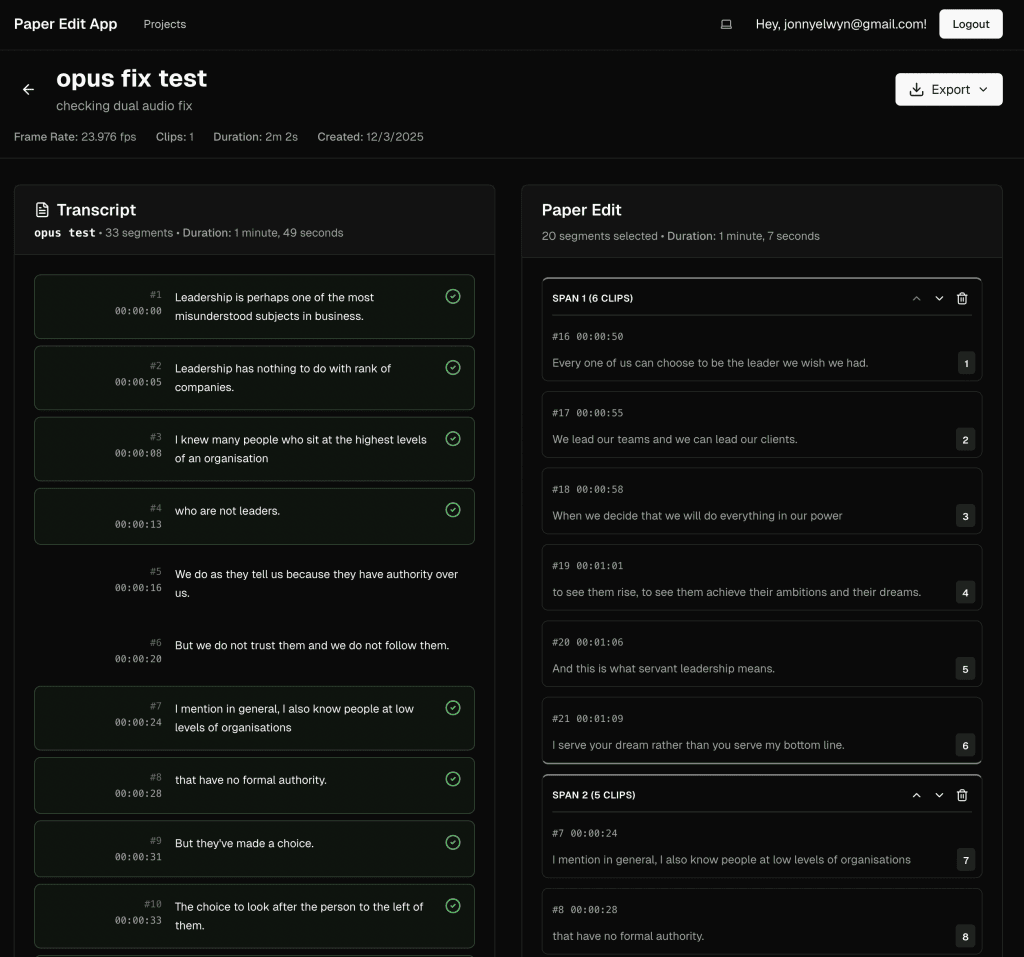
Another tool I’m working on transforms the process of creating Paper Edits to save you hours of manual labour.
Traditionally a paper edit, is where your client/producer/stakeholder reads through a timecoded transcript, makes selections via copy and paste or highlighting, often pulling from multiple transcripts at once, and sends you back a long list of timecodes and quotes.
Your job is then to manually re-create that paper edit on your timeline.
This is a real duplication of effort and a waste of time.
The paper edit has already been created, why can’t it magically appear as an edited timeline in a couple of clicks.
Well, it can.
Sign up at Paperedit.app to be the first to turn lists of timecodes into timelines in a click.
But wait, if you’re wondering why you can’t just use something like DaVinci Resolve Intelliscript or use text-based editing on sites like Descript well there are limitations to these.
Descript, and other text-based editing sites, require you to upload all your media, or record it on the platform itself, before you can use the text-based editing.
Intelliscript is a Studio only tool that requires you to trust it’s judgement on takes and only matches based on semantic similarity, not timecode accuracy.
Paper Edit App doesn’t need access to your media or any other platform to work.
This Week in Movie Trailers (TWMT)

This Week in Movie Trailers (TWMT) is the best place online to watch the latest trailers.
I say this because the viewing experience is exceptionally clean. Cinematic, if you will.
Compared to YouTube there are no ads, no comment wars, no rabbit holes, no visual noise and clutter.
Just trailers. Delivered hot.
What is TWMT?
Each week the system finds and adds every new trailer released in that week to a growing database (1000+ in 2025). It then calculates which are the Top 10 most-watched trailers released that week and delivers them to your inbox.
From there you can gain access to the TWMT site and rummage through every new trailer released that week, which puts around 30-50 trailers at your fingertips.
Trailers are one of the best parts about going to the movies and an art-form in their own right. You should enjoy them at their best!
Sign up for free at https://movietrailers.pro to see this week’s Top 10.
Cut/daily Training – Coming Soon!

There’s always more to learn about Post-Production so now you can learn something new every day of the week by taking one of Cut/daily’s new email-based micro-training courses.
Say what now?
Purchase a Cut/daily micro training course on a particular topic, and you’ll receive a concise insight delivered to your inbox every day for 7 days, adding practical depth to your skill set and strengthening your knowledge of a specific aspect of Post-Production.
Extension resources will allow you to explore the topic in greater detail at your own pace without slowing you down each day. It’s the best of both worlds.
And all for a few bucks.
Cut/daily Micro Training Courses
Current Cut/daily Micro Training pre-launch courses include:
Editing Tips for Beginners – There are a few things everyone gets wrong at the beginning of their editing journey. This course will fix a fistful of those with practical guidance and technical understanding.
AI Tools for Post – Save time, effort and money with a handful of AI-powered tools built for busy post-production professionals. Work smarter, not harder, with the right tool for the job.
Managing Freelance Finances – Creative people often find managing money difficult. After 20 years of freelancing, here’s my simple recipe for getting the money stuff right.
Adding Audio Polish – Improving the quality of your audio is the cheapest way to elevate the entire project. Add production value to every project you touch with these essential audio polishing skills.
Mastering Editorial VFX – Discover a handful of invisible fixes that every editor should have up their sleeve. So you can actually fix it in Post.
OK, interesting. How do I sign up?
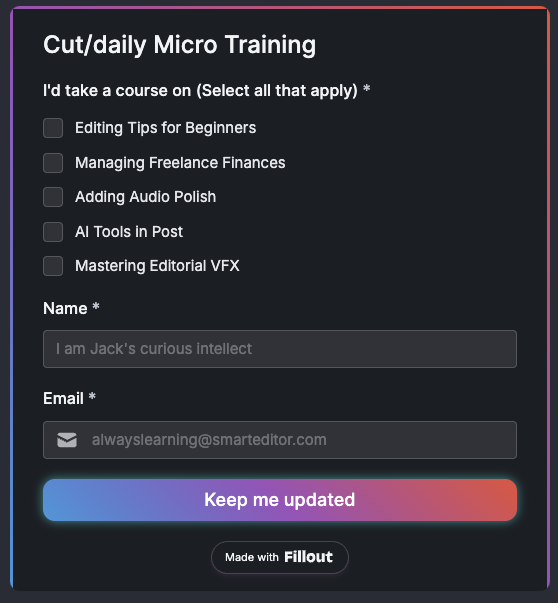
Register your interest for one or more of these courses by filling out the form on Cut/daily’s training page and be first in line to experience Cut/daily’s unique micro training!
- The course with the most votes will be launched first
- The first 20 pre-launch registrations will get free beta-testing access
- At launch, each course will cost between $10-40
- When each course launches, you’ll be the first to know!
Any questions, just get in touch.
Free Post Production Events Calendar
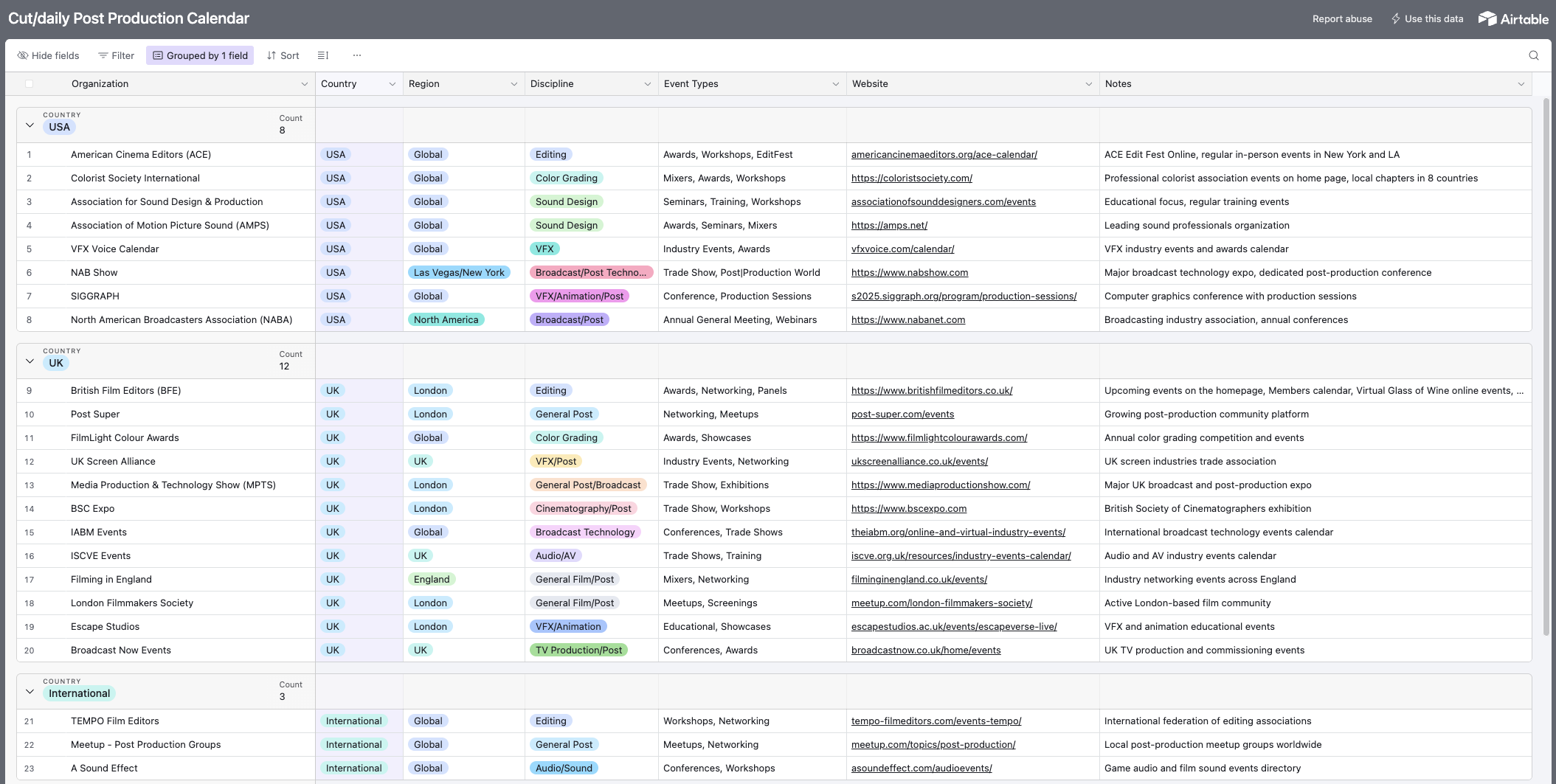
If you’re looking for a useful directory of film and TV post-production events to attend near you, then you’ve come to the right place!
Over on Cut/daily I’ve put together a list of 40+ places you can look for the latest in-person and online events where you can:
- meet other post-production professionals
- learn new skills
- hear from the industry’s best and brightest
- generally have a good time
So what are you waiting for?
Get out there and meet some fellow Post Pros!
Tip: The Events Calendar is best viewed on a Desktop device.
If you notice something great is missing – hit the contact form here to get the Calendar updated with your addition.
Take a Fun Editing Quiz
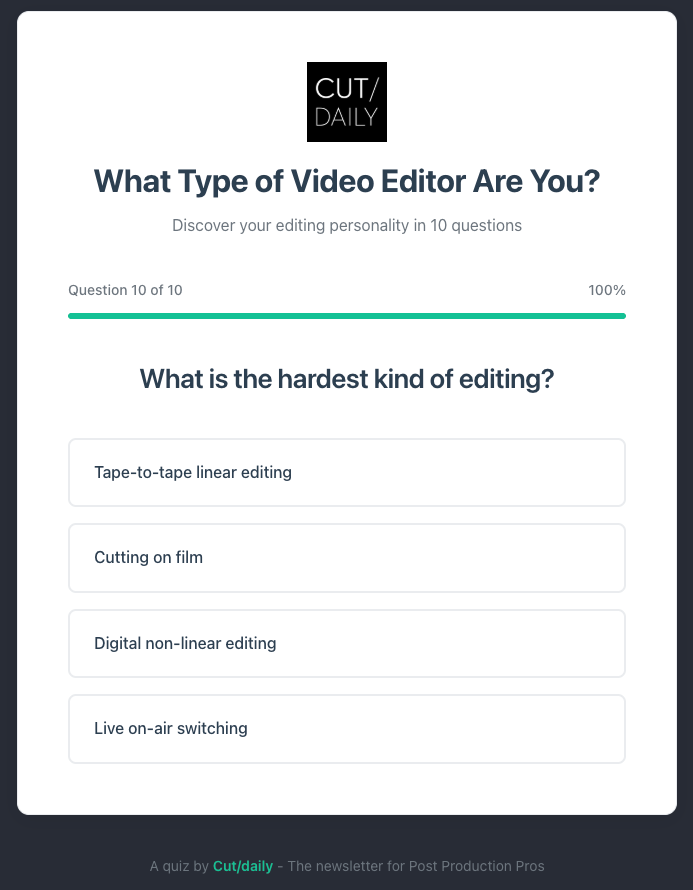
For fun I’ve built an ‘editing personality’ quiz in 10 (mostly) easy questions.
Find out which kind of editor you are and share your results with your Post friends.