Inside Artlist’s New AI Toolkit
Artlist recently launched its AI Toolkit, which draws together all of it’s current AI capabilities into a more unified creator experience. This sets the foundation for making it the best all-in-one generative AI creator platform online.
Or at least that’s the ambition.
For me, one of the most compelling things I’ve always enjoyed in being an Artlist subscriber is that you get everything you need in one subscription. You’re not juggling credits on one platform with a monthly payment on three or four others.
As freelance video editor I need music, stock footage, motion graphics and sound effects on most projects. Add to that the ability to also use AI image and video models to quickly mock up clear ideas to temp (or final) into a project – all with one predictable cost.
It’s tough to beat.
In this sponsored post we’ll explore Artlist’s new AI Toolkit, and in particular it’s first original AI model – Artlist Original 1.0 – looking at what you get, how it compares to other options and where this is all headed.
You can start creating with Artlist’s new AI Toolkit on any of these plans:
- AI Creator – £16.49/month | £138/year (30% discount) = 16,500 credits/month
- AI Professional – £123/month | £984/year (30% discount) = 180,000 credits/month
- Artlist Max – £408/year (equivalent to £34/month) = 7,500 credits/month
Get 2 months extra for free on any these Artlist plans with the affiliate links in this article.
If you’re curious and credit hungry you can even crank your subscription up to 1 million credits a month for a the equivalent of £458/month, billed annually at £5,496.
That’s a lot.
Take This Further
Explore everything Artlist has to offer in more detail with these previous posts:
- Which AI Video Model Should You Use on Artlist?
- The Best High End Stock Video Footage Sites
- The Best Royalty Free Production Music Sites
What is Artlist’s New AI Toolkit?
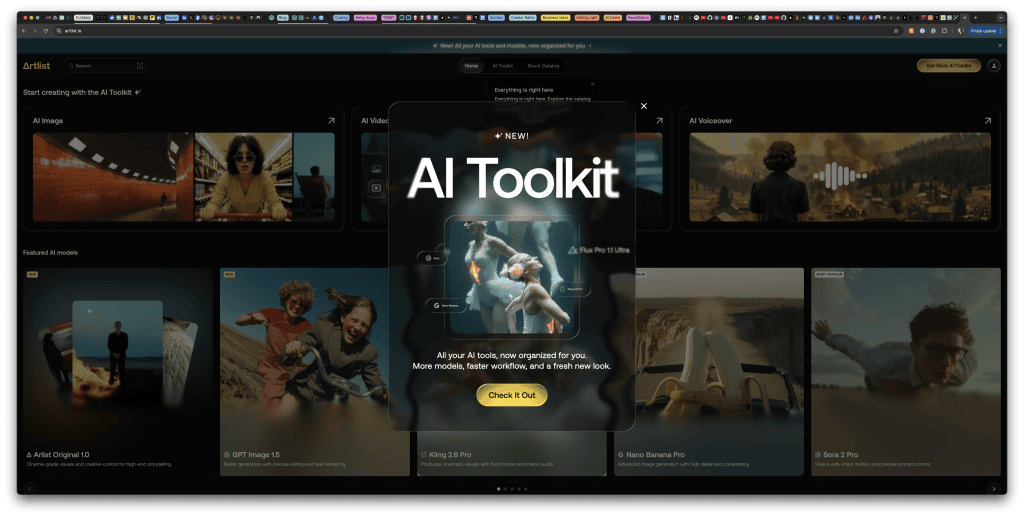
With the launch of its new AI Toolkit, Artlist is establishing a firm foundation on the road to fulfilling its ambition to become the all-in-one AI creator platform.
The toolkit brings together a host of bespoke tools and third-party models all under one roof, whilst providing useful workflow features to stitch all these creative capabilities together.
What can you do?
- Text-to-image
- Upscaling
- Image-to-image
- Text-to-video
- Image-to-video
- Text-to-speech
- Speech-to-speech (coming soon)
- Voice Cloning
- Image Editing – adding, removing, adjusting elements
- Video Editing – extending shots, expanding the frame, adding elements
Add this to existing creative features, like the ability to group Artlist assets (music, stock footage, motion templates, sfx, AI generations etc.) into project Artboards and then share those with collaborators is a huge plus.
And while Artboards have been around for a long time in Artlist, the fact that all of your generations are available to you – without uploading or downloading them from one platform to another – it’s these ‘workflow-glue’ features that add a lot of value over time.
Because they save you a ton of time.
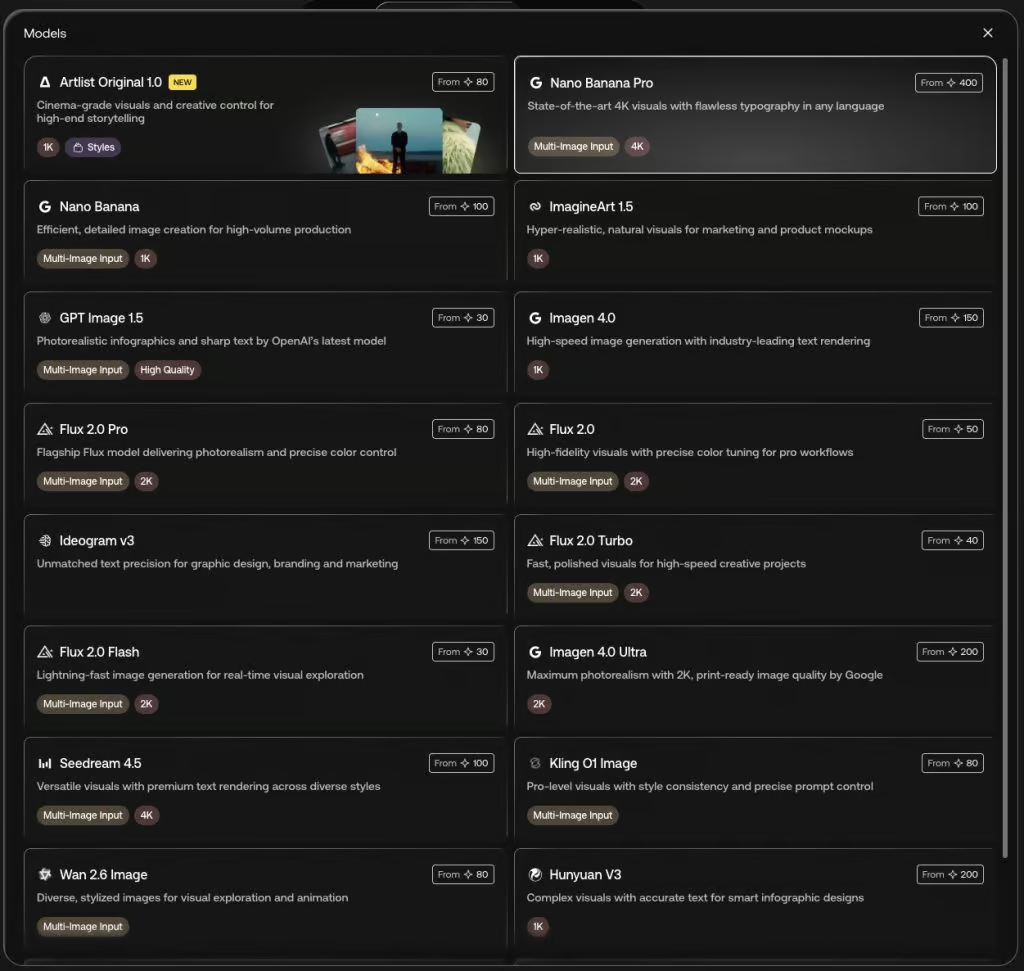
One of the challenges in getting started with Artlist’s AI Toolkit is the embarrassment of riches they have when it comes to choosing between all of AI image and video models they include.
Which one should you use for any particular project?
I’m not entirely sure!
Depending on your prompt, depending on what aesthetic you’re after, depending on global demand at that exact time, different models might do a better/faster job.
One of the benefits therefore of the larger monthly credit budgets on the Artlist AI creator plans is that you don’t have to be shy about experimenting with a handful of the different models with the same prompt.
This is also the fastest way to learn which of the models you personally like best. In my own testing, I’ve found that it’s definitely worth choosing different models to suit the task at hand, and not just throwing Nano Banana Pro at everything.
If you want some help with what each of the various leading models looks like, check out these two articles:
- Which AI Video Model Should You Use on Artlist?
- The Best AI Video Generator 2026: An Updated Comparison of 10 Tools
Stress Testing Artlist’s Image Model
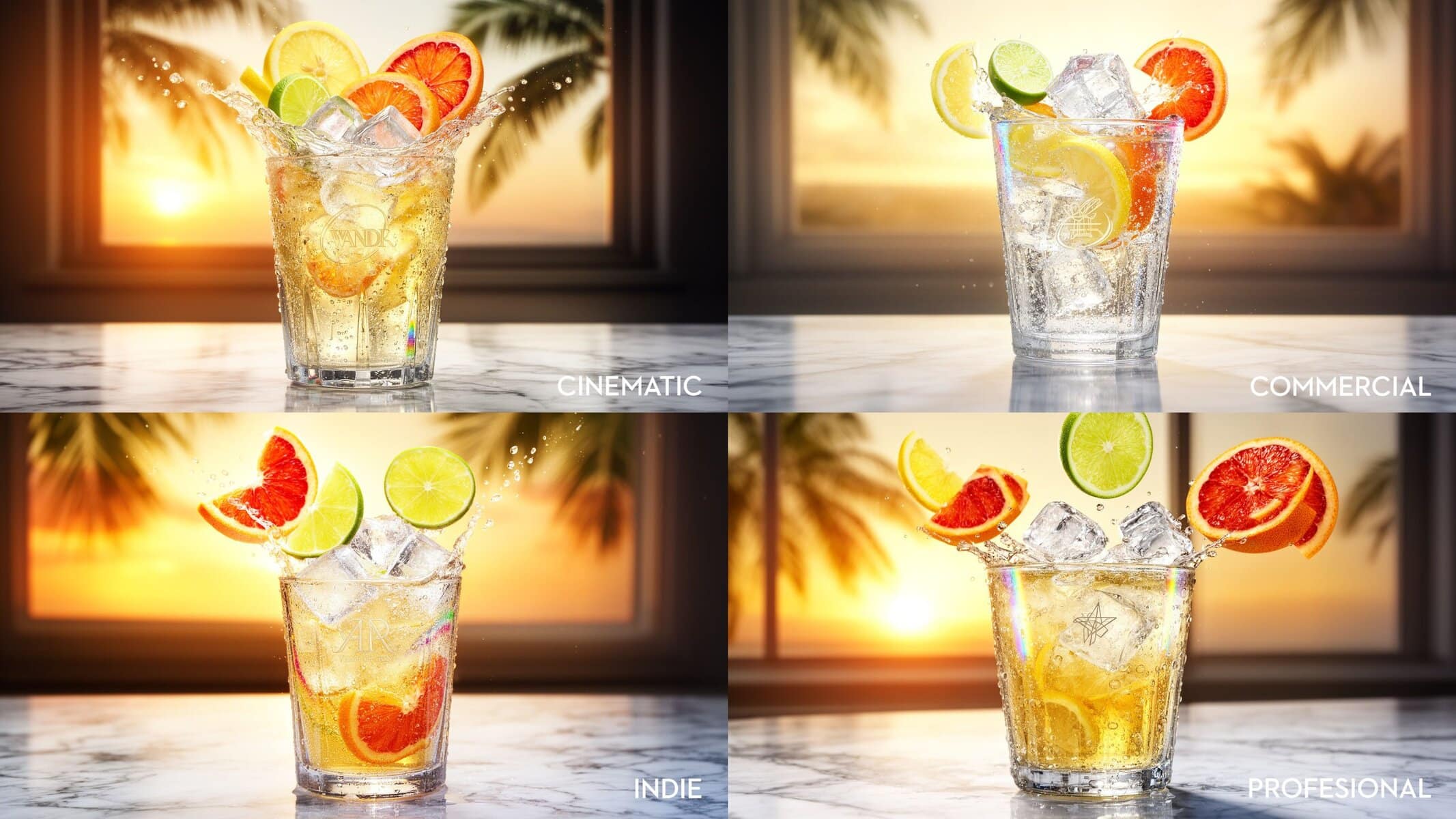
Artlist’s new AI image generation model, Artlist Original 1.0, is their first foray into their own custom image generation model, built on the Artlist/Artgrid stock footage library (which is in itself a decent reason to get an Artlist Max subscription).
It comes with 4 different styles to experiment with;
- Professional
- Cinematic
- Indie
- Commercial
In this section of the article, I’ll be stress-testing the image model with some Chat-GPT optimised prompts and comparing the output of the model’s different styles. I’ll also see how the same prompt compares with Nano Banana Pro – currently the most sought-after and credit hungry model on the platform.
How do the styles differ?
Not sure what the purpose of the different styles are – they don’t feel distinctly different, but presumably they have different prompt weightings, system prompts etc going on behind the scenes. That part isn’t clear.
What is clear is that they all look great. Especially compared to Nano Banana Pro (below) which costs more than 4 times the credits of Artlist Original 1.0.
I used Chat-GPT to design two prompts, asking it to: “Create a prompt to stress test text-to-image generation tools and to easily compare the output of various models.“
TLDR: Is Artlist Original 1.0 any good?
To be honest, I had fairly low expectations for Artlist’s own model, given how many billions of dollars have gone into the other leading models, but I am really impressed by the quality of Artlist’s first model.
I was expecting it to be not particulary polished, especially given the low credit cost in comparison to other models – sort of a proxy for quality – it performed superbly for a very reasonable cost.
Artlist Original 1.0 = 80 credits | Nano Banana Pro = 400 credits | Hunyuan V3 = 200 credits.
Generations are fast
Also generated very quickly, compared to Nano Banana Pro, which kept failing with the message:
“Nano Banana Pro is in high demand right now. No credits were used. Please try again in a few minutes.”
This could be due to limited server resources for Nano Banana Pro at Google or the API limits for sending requests from Artlist to Google. Either way, it made my try the other models more!
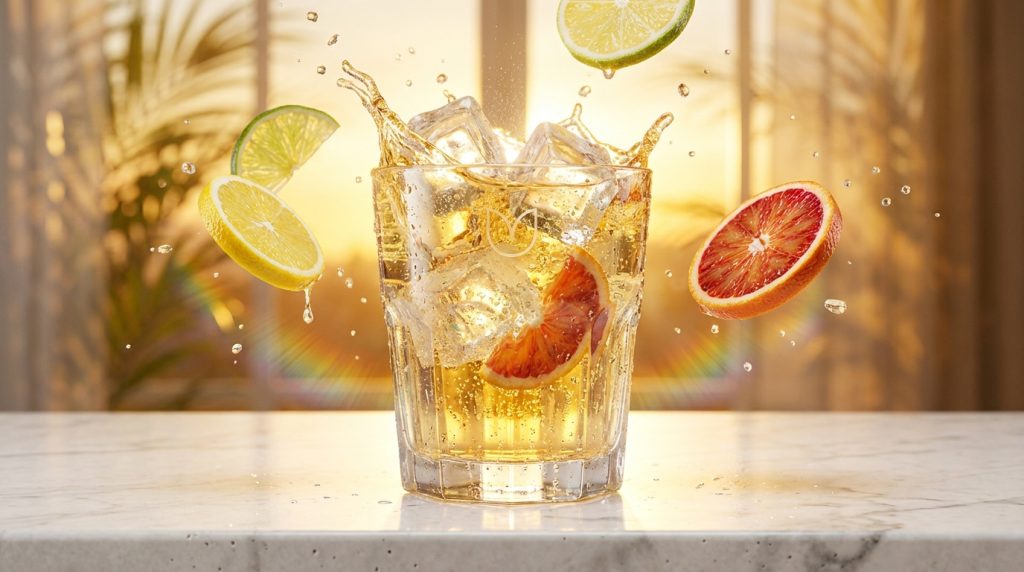
A hyper-realistic commercial drinks advert shot in ultra-high resolution. A crystal-clear glass of sparkling citrus soda is mid-splash on a sunlit marble bar. Large ice cubes collide inside the glass, sending arcs of liquid outward. Thin slices of real lemon, lime, and blood orange tumble through the air, frozen in motion. Thousands of micro-bubbles cling to the glass walls. Cold condensation beads form on the outside of the glass, with droplets merging and running downward in natural streaks. The liquid refracts light realistically, bending the marble pattern behind it. Backlighting creates bright rim highlights through the fruit and ice, with subtle rainbow dispersion in the glass edges.

The scene feels energetic and premium: vibrant summer color palette, shallow depth of field, cinematic lighting, soft bloom on highlights, sharp focus on the front rim of the glass. Tiny imperfections in the fruit skin, pores in the marble, faint scratches in the glass. Dynamic motion, but physically plausible.

In the background, out of focus, a warm golden sunset through a window with palm leaves swaying. Add a minimal, elegant brand mark etched into the glass (not readable text). No people. No cartoon style. Photorealistic, advertising-grade, studio quality, global illumination, real-world physics, 8k detail.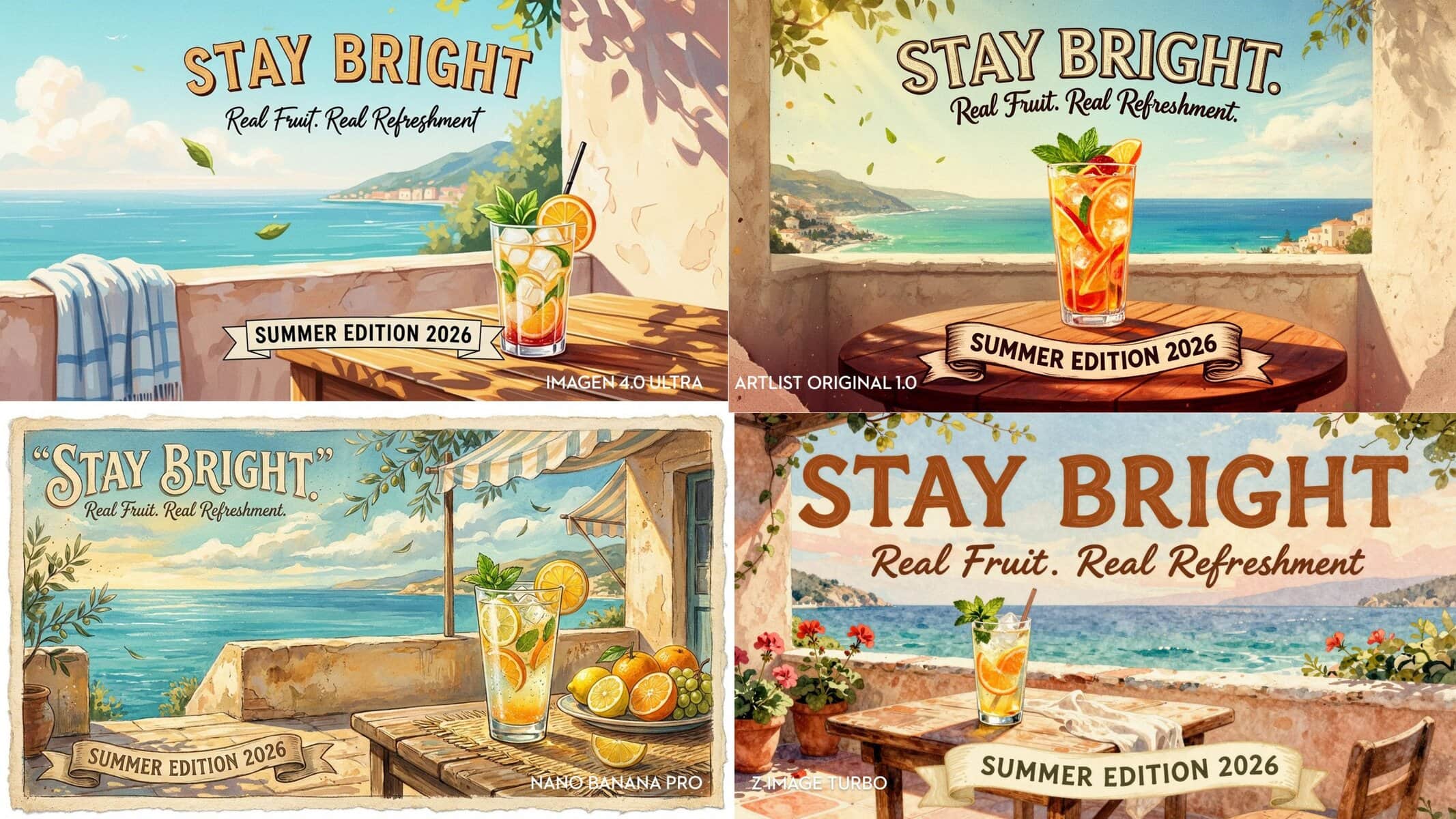
A richly illustrated, hand-painted poster for a fictional summer drinks brand, in the style of a premium vintage travel advertisement. The scene shows a sun-drenched Mediterranean terrace overlooking a turquoise sea. A wooden table holds a tall glass of iced citrus drink with mint and fruit slices. Everything is painterly yet highly detailed: visible brush strokes, layered gouache and watercolor textures, subtle paper grain, imperfect ink outlines, warm halftone shadows, and soft paint bleed at edges.

At the top of the poster, in large, decorative lettering, clearly and legibly render the headline:
“STAY BRIGHT.”

Below it, in a smaller hand-lettered script, accurately render the subheading:
“Real Fruit. Real Refreshment.”

At the bottom, on a ribbon banner, precisely render:
“SUMMER EDITION 2026”

All text must be spelled perfectly, evenly spaced, and aligned to the poster’s perspective. The lettering should feel hand-painted, with natural imperfections, thick-and-thin strokes, subtle paint texture, and slight waviness—but remain fully readable. The text should interact with the illustration: soft shadows on the background, slight curvature following the banner, paint overlap where letters meet textured surfaces.

The overall look is vibrant and tactile: sun-faded pigments, layered brushwork in the sky, textured stucco walls, fibrous paper edges, tiny paint flecks. Warm afternoon light, long shadows, gentle sea breeze implied through drifting leaves and fabric. No photorealism—this is an illustrated poster. No modern digital typography. No extra words beyond those specified. Advertising-grade composition, cohesive style, museum-quality illustration.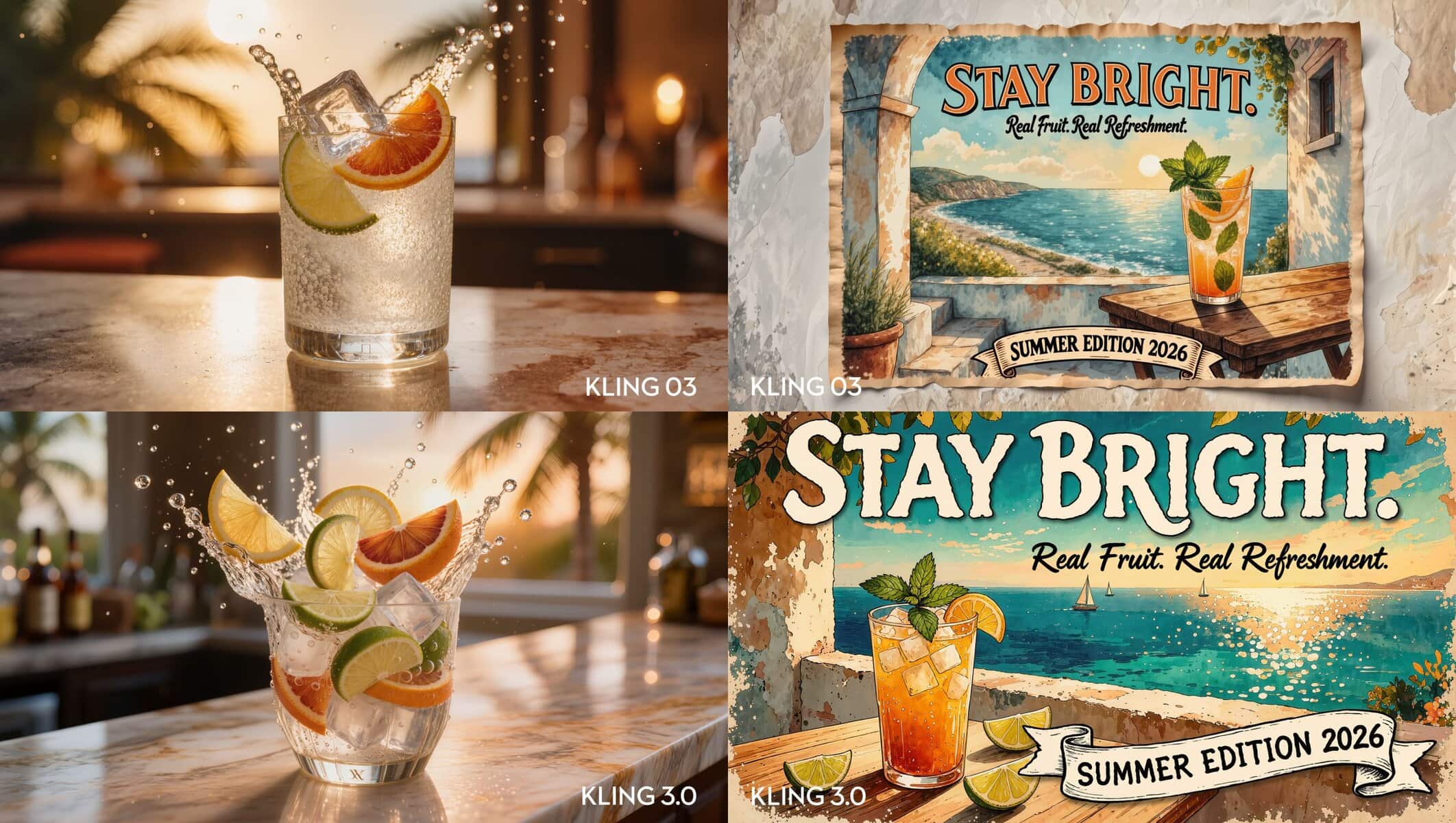
Artlist AI Text-to-Image Credit Comparison
The cost for each image rises as you increase the resolution and the number of outputs it generates in each batch.
| Model | Starting Credit Cost |
| Artlist Original 1.0 | 80 |
| Nano Banana Pro | 400 |
| Nano Banana | 100 |
| ImagineArt 1.5 | 100 |
| GPT Image 1.5 | 30 |
| Imagen 4.0 | 150 |
| Imagen 4.0 Ultra | 200 |
| Flux Pro Ultra | 120 |
| Flux 2.0 Pro | 80 |
| Flux 2.0 | 50 |
| Flux 2.0 Turbo | 40 |
| Flux 2.0 Flash | 30 |
| Ideogram v3 | 150 |
| Seedream 4.5 | 100 |
| Kling 03 | 100 |
| Kling 3.0 | 100 |
| Kling 01 Image | 80 |
| Wan 2.6 Image | 80 |
| Hunyuan V3 | 200 |
| Z-Image Turbo | 10 |
| GPT Image 1.0 Mini | 30 |
| Grok Imagine | 80 |
Pros and Cons of Artlist AI Toolkit
Given that I had early access to Artlist’s AI Toolkit, all of what I’m about to say should be taken with a pinch of salt, as it’s an early version, bugs will be fixed, new and better ideas will be tried and things will evolve.
Here’s a shortlist of pros and cons on Artlist’s new toolkit based on my initial playtesting.
PROS
I am really impressed by the quality of Artlist’s first model. It delivers great looking results each time I’ve used it.
Prompt Enhancement – With one click of ‘Auto-prompt’, you can leverage AI to fill in the details around your vague description of the idea you want to create and this extra step, really helps get much better results.
Upscaling – This is a really useful tool to have built into the platform, especially if you output your original generations in a lower resolution – either to save credits, or by accident.
In my own testing, it did a great job of upscaling my headline image without distorting or messing up the image.
However, in the process, it did remove the grain/texture that was in the original and that had added a lot of interest and warmth to the original image.
That it is designed this way isn’t surprising, as cleaning up a blown-up image makes a lot of sense, especially when working with lower-resolution sources.
Edit Image – This gave me an opportunity to test the Edit Image feature, which allows you to use one of a select group of models (presumably those that need an image as an input) to edit the source image.
I prompted Kling 01 to try to add the grain and texture back in, which it did a good job of… except that I forgot to also set it at a higher resolution.
Oh well, at least I have plenty of credits.
Being able to edit your images will be excellent – when it works perfectly. (see Cons)
CONS
Reliability – The new site would occasionally drop the generation, displaying the message ‘something went wrong’.
Sometimes there would be a big lag between pressing ‘go’ and anything happening… which then would make you press it again, and then you’d have used double credits because the first image was actually already being fed into the pipeline.
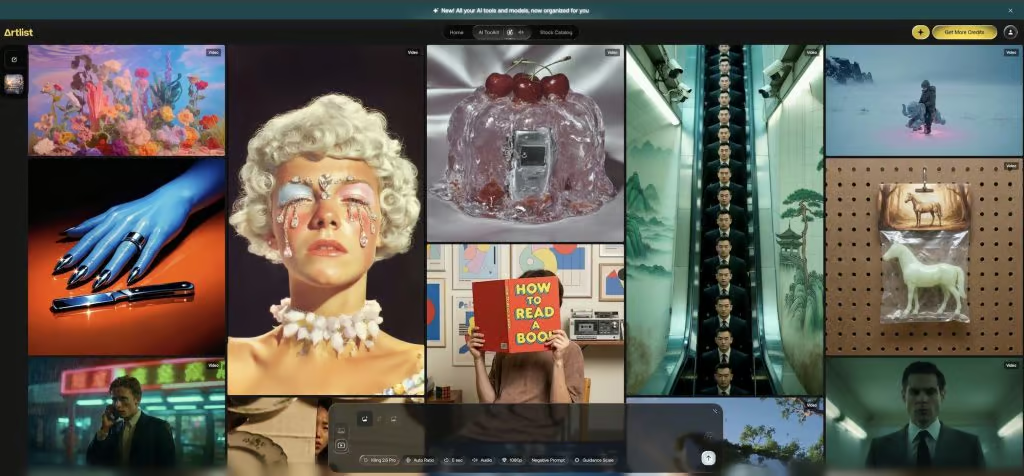
Design – The main user interface and text-input box uses an ‘Apple Liquid Glass’ design style, which I don’t really like. I’d prefer the main text box to be solid, such that I can focus on it more clearly without any background noise.
As the homepage is packed with ‘inspiration’ in the background, it all feels rather busy.
Personally, I’d prefer a cleaner background to start my creative work from, more like a blank page with endless possibilities, rather than cramming my ideas into a messy work area.
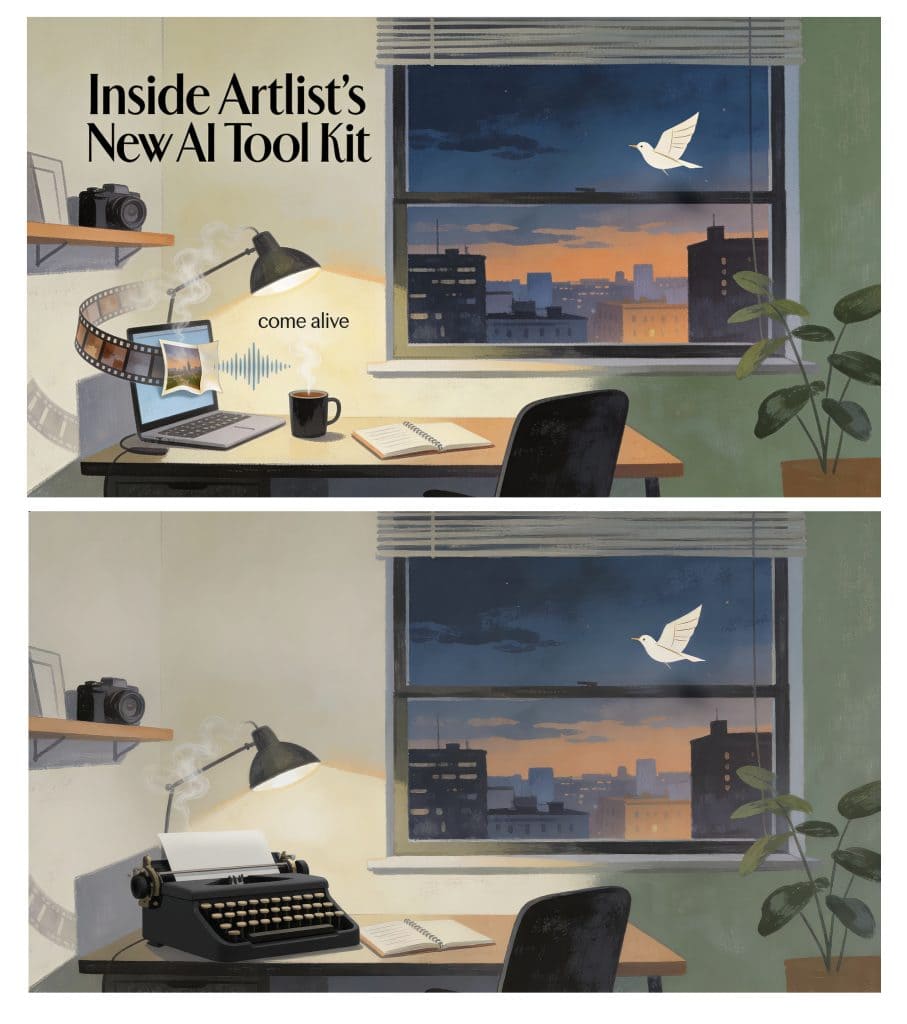
Image Edit – While the feature is still in beta, I opted to try using Kling 01, a really good model, to remove much larger objects and elements from one of my original images. This produced only so-so results.
Here I had asked it to remove the laptop, film strip, film strip shadow, smoke around the lamp, come alive text and to keep everything else, but replace the laptop with a typewriter.
Interestingly, the editing process also lost some of the contrast and saturation in the image too.
Now this isn’t Artlist’s Toolkit’s fault – this is to do with the image generation models. It would be interesting to see if using the same model for the original generation as the edit leads to better results.
In this case, I used Seedream 4.5 to generate the original image and Kling 01 to edit it.
Training Data – The Artlist Original model was trained on the footage from the Artlist stock footage library. Which makes sense from a business perspective, but I wonder how those creators might feel about this coming back to bite them.
Personally, I think using stock footage as inserts in existing footage is far superior to generating b-roll, especially given the unbeatable reality of it all. But who knows what I’ll say in the future.
Presumably, the scope for this future use case (AI training data) was included in the original agreement that the early uploaders signed. Every contract usually has some ‘can be used in perpetuity, for all known and yet undiscovered possible use cases, on earth, the moon, the known universe, etc.“
Using Chat-GPT for Creative AI Image Prompts
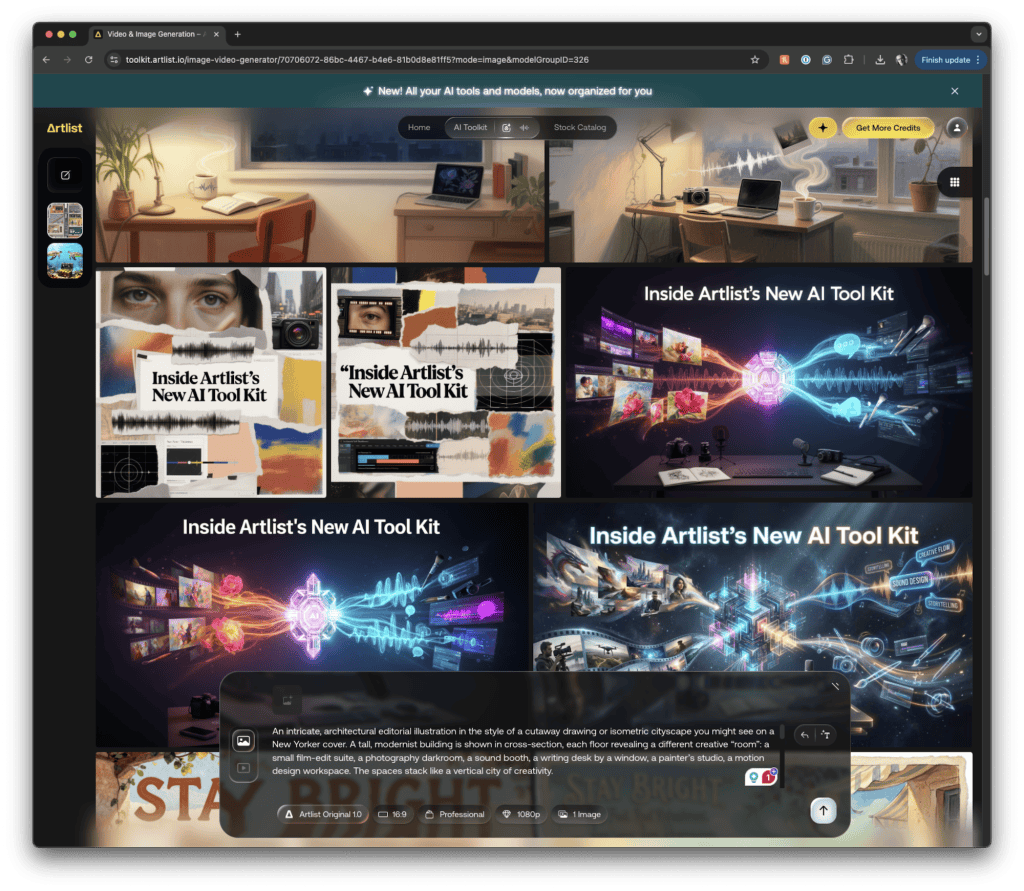
I used Chat-GPT to optimise my prompts for the images in this post. Sometimes it delivered less than compelling results. Sort of, GCSE homework vibes.
When I called it out on its cheesy efforts, it responded (ironically) with:
“Totally fair—that “glowing core with streams” visual language is already starting to feel like stock AI art.”
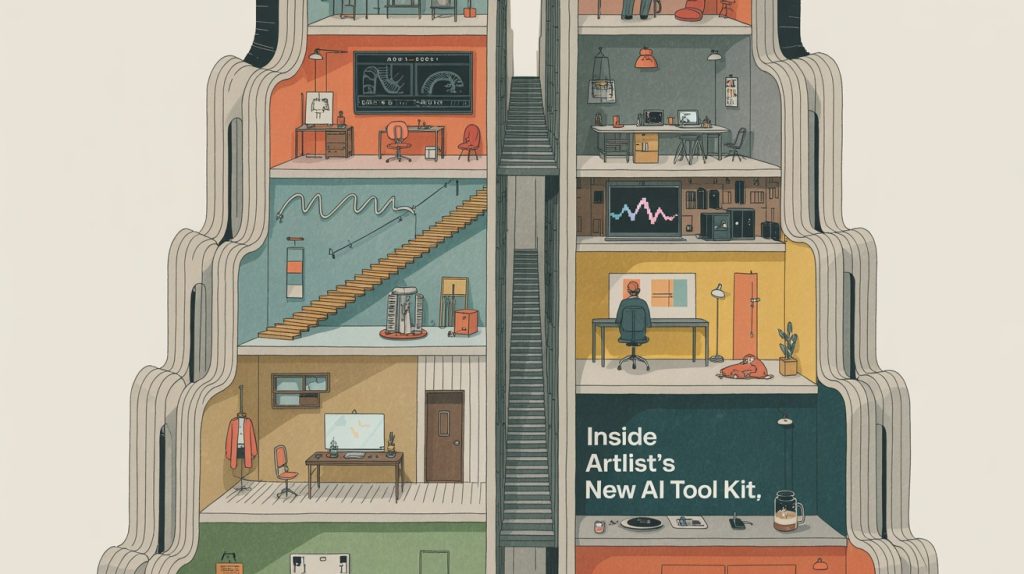
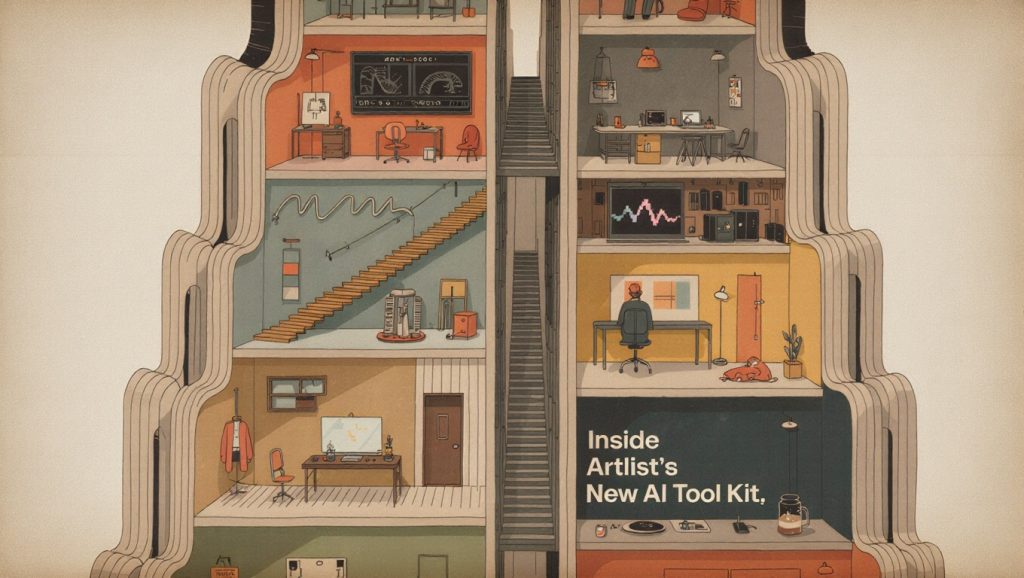
A sophisticated, magazine-cover-style illustration in the spirit of The New Yorker: calm, witty, and visually poetic. A single, metaphor-driven scene set in a quiet city interior at dusk—perhaps a small studio apartment or editor’s office with a wide window. Outside, the city is rendered in soft washes of color; inside, the room is sparse and human: a desk, a chair, a notebook, a laptop, a camera on a shelf, a plant leaning toward the light.

Across the room, the creative tools subtly “come alive” in understated, clever ways. A strip of film drifts like a ribbon of smoke from the desk lamp. A speech waveform escapes a mug of coffee like steam. A still image peels gently off a screen and floats toward the window like a paper bird. Nothing is flashy—everything feels natural, quiet, and slightly magical.

The illustration style is painterly and restrained: visible brush texture, soft edges, thoughtful color blocking, gentle shadows. Muted palette—warm creams, dusk blues, soft greens, dusty oranges. No sci-fi glow. No literal AI symbols. The mood is reflective, human, and curious.

Integrated into the sky or a clean wall surface, in elegant magazine-style lettering, render the headline exactly:
“Inside Artlist’s New AI Tool Kit”

The text feels like part of the illustration, balanced and calm. No extra words. The image should feel like a cultural moment, not a product demo—something you’d pause on while flipping through a magazine. Wide aspect ratio, editorial composition, timeless, intelligent, quietly imaginative.
This was one of the prompts I tried for the title image for this article. It proved too complicated for most of the models, and the adherence to the details (e.g., coffee steam like a waveform) was lacking in most of the outputs.
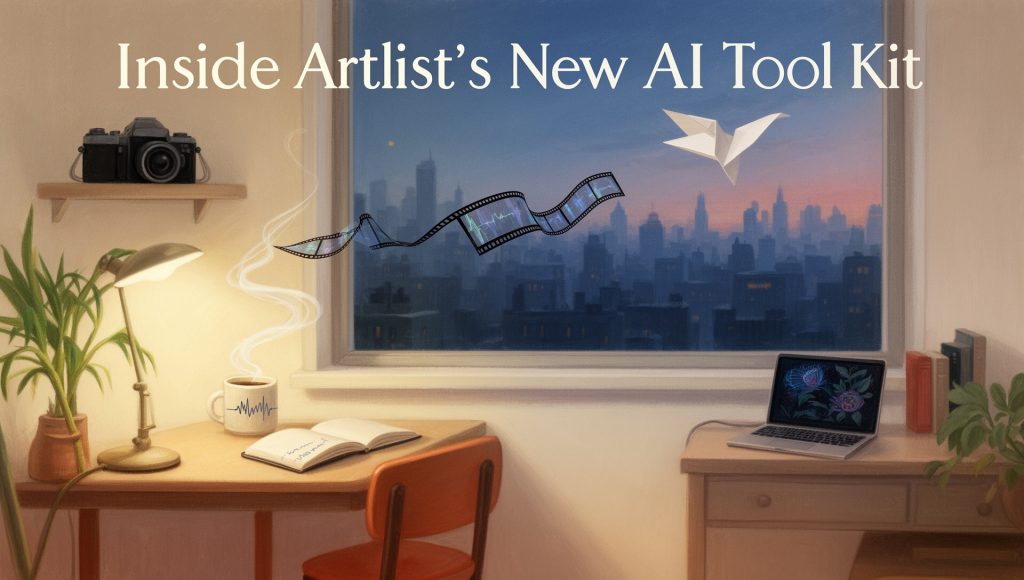
This was actually the best of a bad bunch and was from Artlist Original 1.0.
It just goes to show that not every prompt will work out of the box, and testing and iterating is the only way to improve.
One other thing to consider is that Chat-GPT isn’t all that talented at creative prompting.
Artlist Studio’s Future Road Map
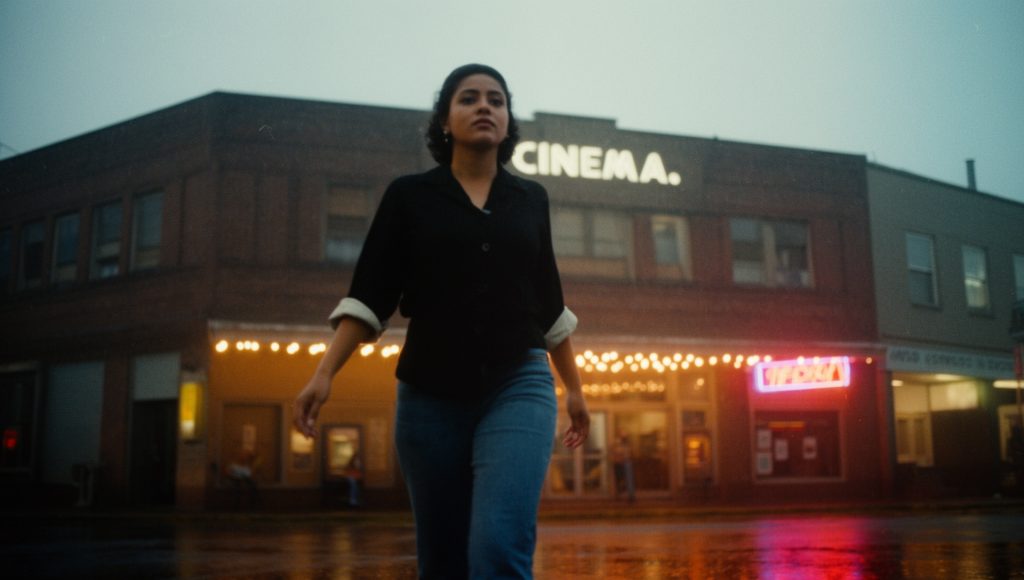
That you can do all of this in one platform, for one subscription price per month, is fantastic.
This really is helping to position Artlist as the creator’s choice for this kind of thing.
And while Artlist continues to pivot deeper into AI, it still has an amazing music and stock footage library that deliver professional results consistently.
Artlist is my favourite option for both of these assets.
So where is this all headed?
Artlist’s ambition is to continue to build out its AI Studio, adding features and capabilities at a regular pace. Which, if it does at the rate that it has continued to add leading third-party AI models to it’s platform, will help it stay ahead of the competition.
Artlist’s AI Studio road map includes things like:
Being able to edit AI-generated video, such as extending shots, expanding the frame, adding in new elements and more.
They’re also working to continuously improve the user experience for generative AI workflows, and there’s even talk of incorporating an assistive agent.
Hit the comments
So that’s what I think of Artlist’s new AI Toolkit, but whats your take? Hit the comments and let me know.